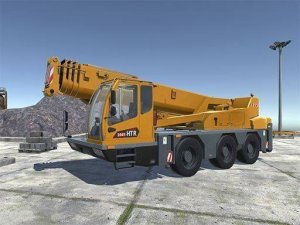
Heavy Crane Simulator Game Simulation

Heavy Crane Simulator Game Simulation

Simulation Sim

Reviews

Heavy Crane Simulator stands out for its accurate control scheme and attention to detail. Players must manage driving, crane rotation, and load lifting with separate key combinations, which adds a rewarding layer of challenge. The multiple machine options and support systems increase replayability. It is a clean, family-friendly game that teaches real-world skills in a safe virtual environment. Perfect for short sessions or longer practice runs.

Heavy Crane Simulator places you in the operator's seat of a powerful construction crane. This realistic simulation game lets you experience the thrill of lifting and moving heavy objects on a busy construction site. With detailed controls for driving, crane operation, and load management, you will learn the ins and outs of heavy machinery. The game is designed for all ages, offering a safe and educational experience without any violence or inappropriate content. Whether you are a fan of construction vehicles or just looking for a fun and challenging simulation, this game delivers authentic crane handling mechanics.

To play, use WASD and Space to drive your crane truck. Press Left Shift to accelerate. Move your mouse to rotate the camera and use the mouse wheel to zoom in and out. Press Tab to open the machine select menu. Use G to activate the cursor and I to view instructions. Press Y to turn the crane on or off, and K to activate the hook or connect a trailer. While holding the left mouse button, use A and D to rotate the crane arrow, Q and E to move it forward or backward, and W and S to raise or lower it. Hold the right mouse button and use W and S to move the cabin up or down. While holding Left Shift, use W and S to raise or lower the hook. Use Z for side horizontal support and X for side vertical support with left or right mouse button. Press U to activate the support block.

Realistic crane controls that mimic real machinery. Multiple machine options provide variety in gameplay. An interactive environment with a detailed construction site. Intuitive keyboard and mouse controls for precise operation. Support systems like stabilizers and hooks add depth to the simulation.

This game teaches coordination and planning through its realistic mechanics. It offers a calm yet engaging experience for players interested in how construction equipment works.

Compatibility


This H5 game runs smoothly on: • Desktop computers (Windows / Mac) • Mobile phones (iPhone / Android) • Tablets (iPad / Android) 🌐 Best experienced with Chrome, Safari, or Edge

Advertisement

Other Similar Games