
Controls
About this game
Core Game Loop
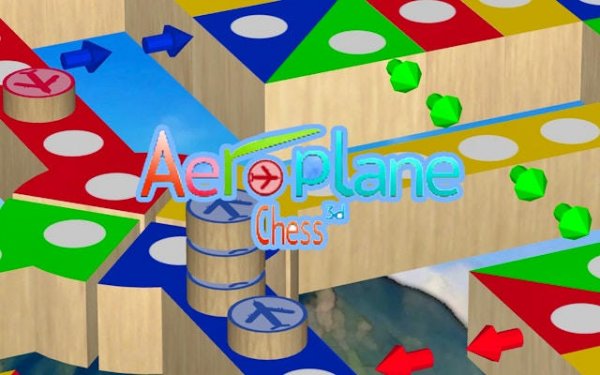
Each turn starts with a die roll. Rolling a one or six lets you bring a new plane onto the track from the starting area. After that, you pick one of your active planes and move it forward by the number shown. The path goes clockwise around the board. If you land on a space already taken by an opponent, their plane goes back to the start. The first player to get all four planes into the central home zone wins.
Strategic Positioning
While luck plays a part through die rolls, thoughtful placement matters. Spreading your planes across the board lowers the chance of losing several pieces to one opponent move. Deciding when to push a leading plane forward versus bringing a new one into play can change the game's direction. Watching opponents' positions and guessing their next moves adds a layer of tactical thinking. The balance between aggressive forward movement and defensive spacing keeps each match engaging.
Customization Options
Players can adjust several rules to change the pace and challenge. Options include altering the number of planes each person controls or modifying the die requirements for launching pieces. These settings allow families to tailor the experience for younger children or for more experienced players seeking a quicker game. The interface makes these changes simple to apply before starting a match.
Multiplayer Modes
The game supports both local and online play. Friends and family can connect from different devices, making it easy to arrange a game night remotely. The cross-platform feature ensures that players using different operating systems can still compete together. Turn-based play keeps the experience relaxed and social, with no need for real-time reactions.
Visual and Control Design
The interface uses clear, bright colors and simple icons to represent planes, the board, and die results. Controls are responsive and require only taps or clicks, making the game accessible on phones, tablets, and computers. The layout avoids clutter, so players can quickly see the board state and their options. This design philosophy supports quick learning and minimizes confusion during play.
Compatibility
Screenshots
How To Play
Player Reviews
Skyborne Ludo Challenge takes the familiar roll-and-move formula and adds meaningful tactical choices. Spreading your planes to avoid losing multiple pieces to one opponent move requires careful planning. The customization options let you adjust the pace for different skill levels, making it suitable for family game nights. Cross-platform online play is a nice bonus for connecting with distant friends. The clean, colorful interface keeps the focus on the game rather than the controls.







Comments
Sign in to leave a review
Share your rating and tip other players.
No account? Create one
No comments yet.