
Controls
About this game
Core Objective: Key Hunting
In Pixel Key Quest, every stage presents a simple but satisfying puzzle: find a hidden key and bring it to the locked door. The key can be tucked behind a corner, under a ledge, or in a small alcove. This search-and-deliver loop forms the heart of the experience, encouraging careful exploration rather than speed.
Movement and Controls
Players move their character left or right using arrow keys or on-screen buttons. A jump action lets the hero clear small gaps and sticky patches. The controls are responsive and easy to learn, making the game accessible to young players and those new to platformers. Later stages require more precise timing, but the learning curve stays gentle.
Visual Style and Atmosphere
The game uses a pixel art style that recalls classic arcade titles. Colors are bright and cheerful, with hand-drawn backgrounds that feel warm and inviting. There is no violence or dark imagery. The overall look is designed to be pleasant and non-threatening, suitable for all ages.
Progression and Difficulty
As players advance, stages introduce more complex layouts. Obstacles become trickier to navigate, and keys are placed in less obvious spots. The difficulty increases steadily, so players have time to build their skills. This gradual ramp keeps the game engaging without causing frustration.
Accessibility and Platform
Pixel Key Quest runs directly in a web browser on both computers and mobile devices. No downloads or installations are needed. The touch-friendly controls work well on phones and tablets. This makes it easy to pick up and play anywhere, whether for a few minutes or a longer session.
Family-Friendly Design
The entire game is crafted to be safe and appropriate for all family members. There is no mature content, no violence, and no scary elements. The focus is on gentle puzzle-solving and exploration. This makes it a good choice for parents looking for a wholesome digital activity for children.
Compatibility
Screenshots
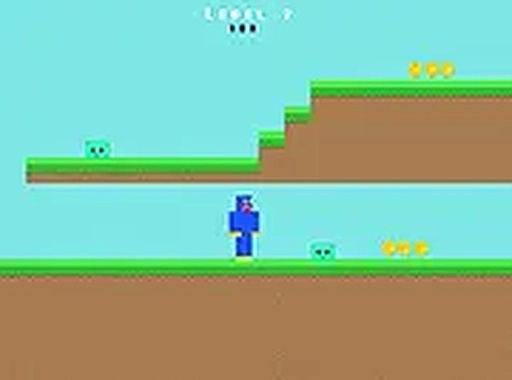
How To Play
Player Reviews
Pixel Key Quest stands out for its calm, non-violent approach to the platforming genre. The core loop of finding keys and opening doors is simple but satisfying, and the bright pixel art creates a welcoming atmosphere. Controls are responsive, and the gradual difficulty increase keeps things interesting without ever feeling punishing. It is an ideal choice for young children or anyone looking for a relaxing gaming break.









Comments
Sign in to leave a review
Share your rating and tip other players.
No account? Create one
No comments yet.