Muddy Village Car Driving Challenge
Reviews
Muddy Village Car Driving Challenge offers a satisfying arcade driving experience with four unique cars, each with distinct handling. The muddy tracks provide a fun challenge, and the drift mechanics reward precision. The game is easy to pick up but offers enough depth to keep players engaged. Clean graphics and smooth controls make it suitable for all ages. A great choice for casual driving fans.
Description
Game Introduction
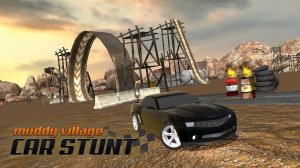
Muddy Village Car Driving Challenge is an arcade driving experience set in a challenging village environment. Players choose from four cars: Beetle, M4, Mustang GT, and Camaro, each with unique handling. The goal is to navigate muddy roads, perform drifts, and overcome obstacles to collect points. The game combines stunt mechanics with strategic driving, offering a balanced challenge for casual and dedicated players. With its focus on precision and control, it provides a satisfying test of driving skills without complex narratives or violence.
How to Play
Use the arrow keys or on-screen controls to steer your car. Drift around corners to earn extra points and avoid obstacles that block your path. Collect points by completing stunts and reaching checkpoints. Each car has unique handling, so try them all to find your favorite. The goal is to overcome all obstacles and achieve the highest score possible. Practice each track to learn optimal drift points and obstacle patterns.
Game Features
Four unique cars with distinct handling. Muddy offroad tracks with varying difficulty. Drift mechanics that reward precision. Obstacle challenges that require quick reactions. Point collection system that encourages replay. Clean graphics and smooth controls suitable for all ages.
Tips for Success
Practice each track to memorize obstacle placements and optimal drift zones. Experiment with all four cars to find the handling style that suits you best. Focus on smooth steering and controlled drifts to maximize point collection without crashing. Use checkpoints as opportunities to adjust your strategy. Regular practice will improve your reaction times and overall score.
Compatibility
Faq
What platforms can I play Muddy Village Car Driving Challenge on?
Is there a time limit for completing each track?
Can I unlock new cars or upgrades in the game?
Does the game have different difficulty levels?
Are there any in-game purchases or ads?
How do I reset my progress or start over?
Other Similar Games

Prehistoric Egg Match Puzzle
A colorful and family-friendly puzzle game with simple controls and many levels. Great for all ages.

Cliff Escape with Noob and Blue
A bright, stress-free runner with cute pixel art and simple taps. Perfect for quick family fun.

Mystic Realms: Fantasy Quest
A delightful family RPG with endless exploration, clever puzzles, and a warm community. Perfect for all ages.

Math Puzzle Challenge: Arithmetic Practice
A fun, safe way to practice arithmetic with adjustable difficulty. Great for kids and adults alike.

Mega City Missions: Car Driving
A fun, family-friendly driving game with a huge city to explore and plenty of stunts to master.

Basket Goal Puzzle Game
A fun physics puzzle that blends arcade action with basketball. Great for all ages.

Basketball Stars 2024 Arcade Game
A fun and simple basketball shooting game that rewards precision and timing. Great for quick play sessions.

Frost Leap: Winter Platformer
A charming winter platformer with simple tap controls and increasing challenge. Great for quick fun.